
Concepts
VibeControls concepts
A guided tour of VibeControls, one concept at a time. Each concept groups the illustrations of a feature or flow and explains what it does, how it works and who it is for.
25 concepts61 illustrations
These images are illustrations of the concept, not screenshots of the actual product.
Showing 25 of 25 concepts
Overview & Onboarding
Install the agent in one command and see your whole agentic engineering fleet at a glance on desktop or phone.
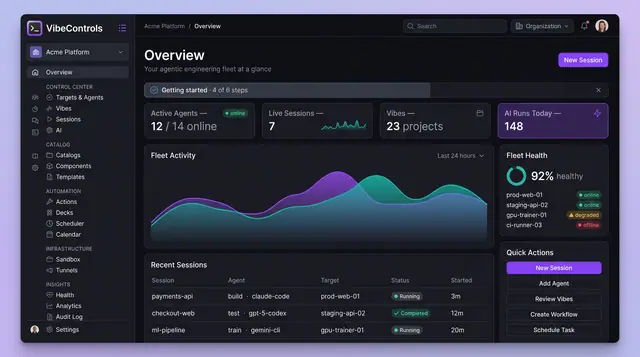
Fleet Mission Control Overview
One home screen for every agent, session, project and AI run in your engineering fleet, on desktop or on your phone.
2 illustrations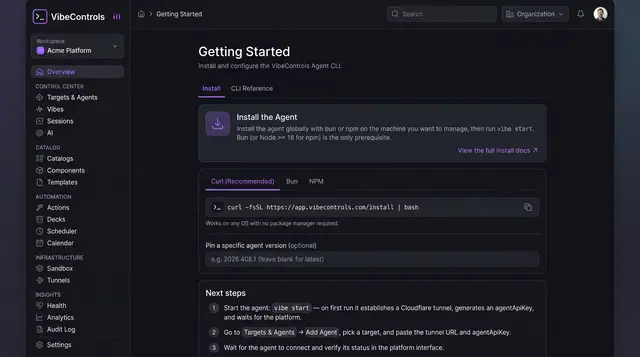
Install and Connect Your First Agent
Install the agent with one command, start it, and connect it to your workspace in a short guided two-step flow.
2 illustrations
Agents & Targets
Register agents, manage the machines they reach and map the agent-to-agent mesh across your fleet.
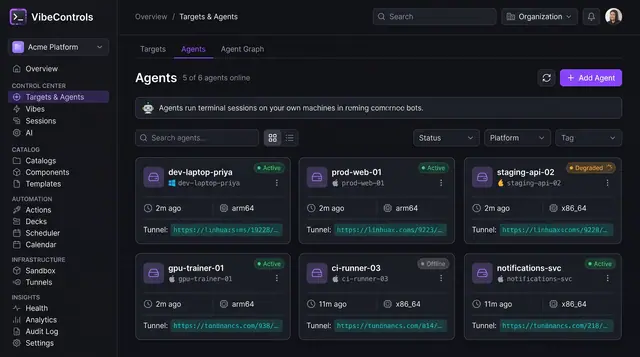
Agent Fleet and Agent Detail
See every agent's status, platform and tunnel at a glance, then drill into one agent to manage its plugins, sessions and logs.
2 illustrations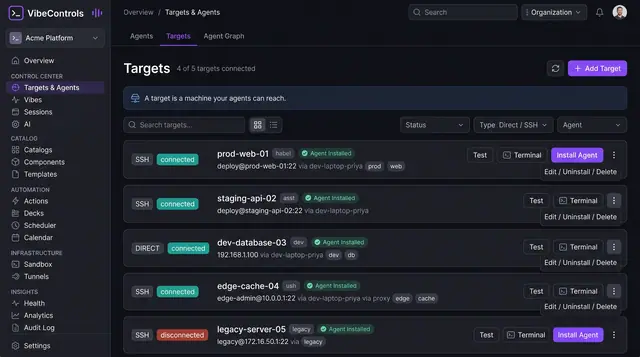
Targets and Agent Mesh Topology
Register the machines your agents can reach over SSH or directly, and see the agent-to-agent mesh as an interactive graph.
3 illustrations
Vibes
Project workspaces that tie together repos, environment variables, bound agents, notes, docs and quality scores.
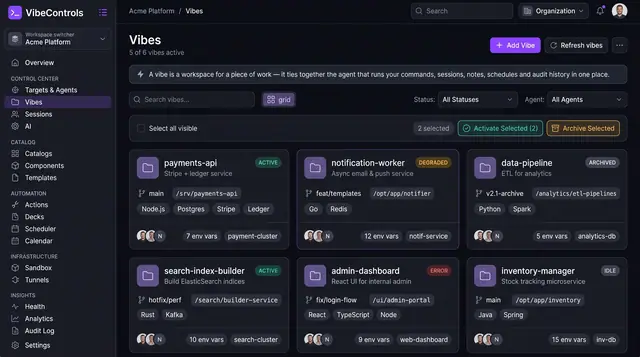
Project Workspaces and Notes
Vibes tie a piece of work to its repo branch, folder, bound agents, environment variables and notes, so context travels with it.
3 illustrations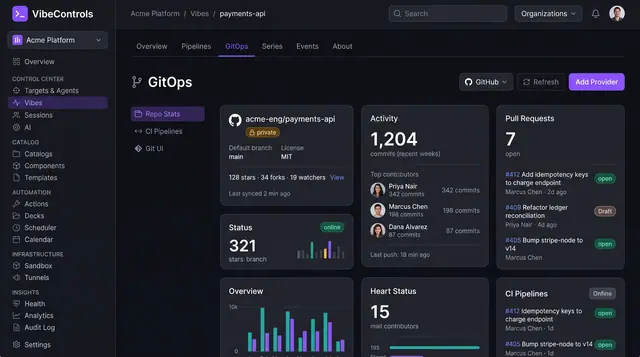
GitOps, Living Docs and Quality Scorecards
See a project's repository activity, its compiled documentation and a weighted quality score side by side, inside the vibe itself.
3 illustrations
Sessions & Collaboration
Persistent browser terminals on your own machines that you can share, pair on and hand over safely.
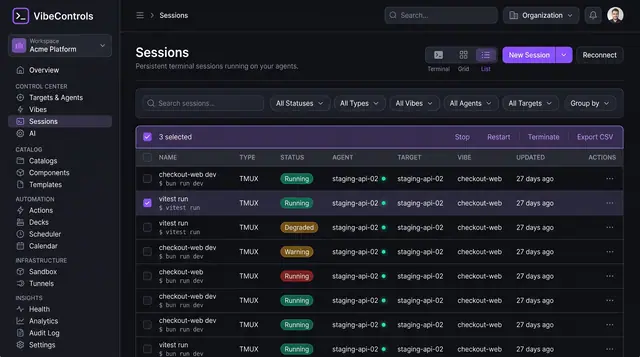
Persistent Browser Terminal Sessions
Keep long-running terminals alive on your own machines, then find, watch and control them from any browser.
2 illustrations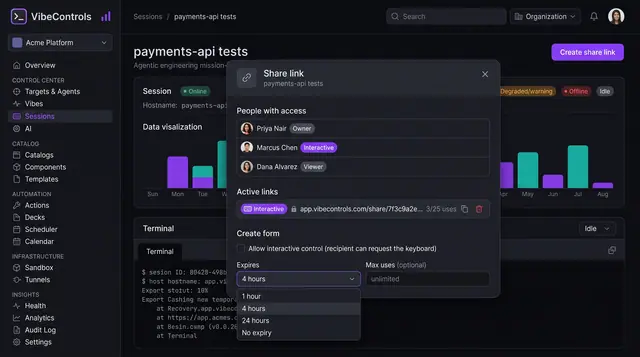
Session Sharing and Live Pairing
Invite teammates into a running terminal with expiring links, clear roles and a visible handover of control.
2 illustrations
AI Workbench
Run and govern coding agents such as Claude Code, Codex and Gemini with plans, reusable prompts, contexts, keys and credit limits.
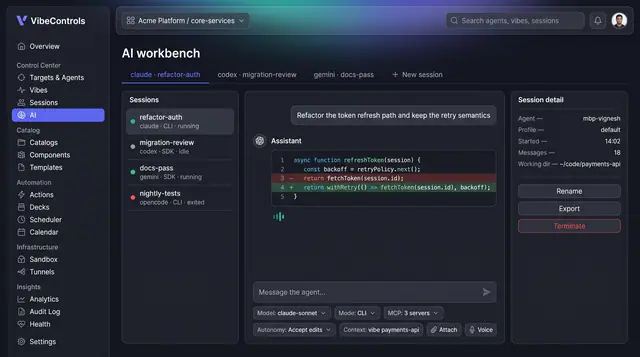
AI Workbench for Coding Agents
Run Claude Code, Codex, Gemini and other coding agents side by side, with governed actions, full run logs and saved answers.
4 illustrations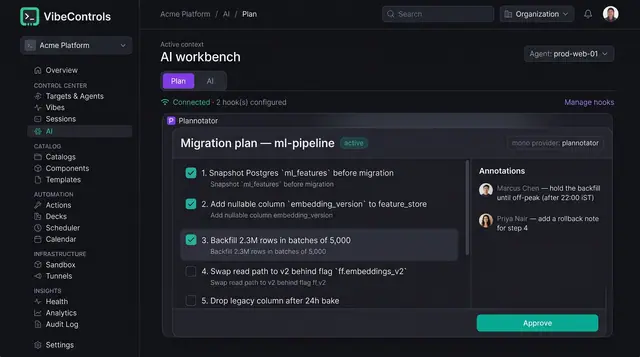
Human-Approved AI Plans
Coding agents propose numbered plans that people review, annotate and approve before a single step runs.
2 illustrations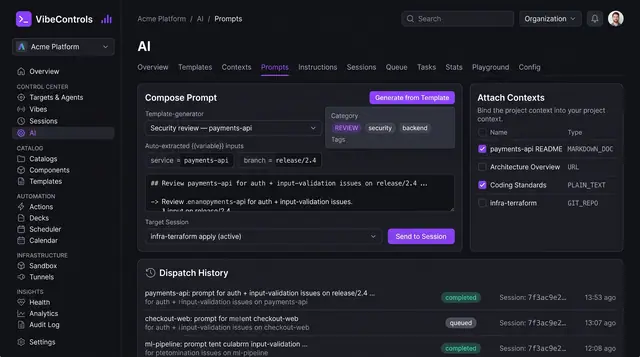
Reusable Prompts and Managed Contexts
Keep a library of parameterized prompts and curated context sources, then send them to any agent session in a click.
3 illustrations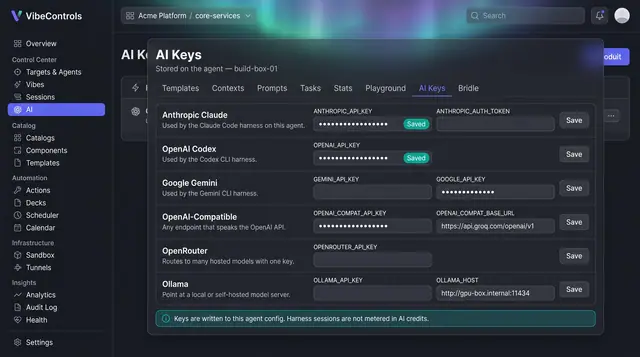
AI Provider Keys, Autonomy and Credits
Bring your own model keys, set how much each agent may do on its own, and see AI credit use before every message.
3 illustrations
Developer Portal
A living software catalog, golden-path templates and a plugin marketplace that extends every agent in the fleet.
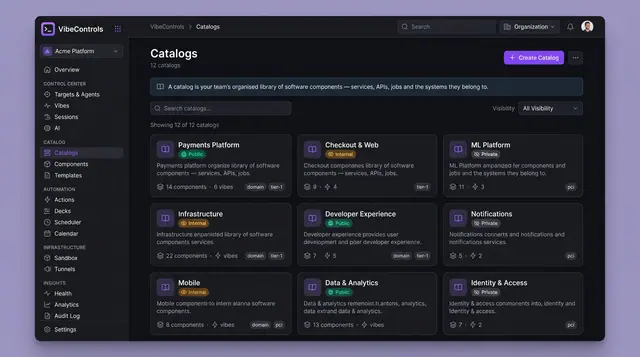
Living Software Catalog and Version Drift
Catalogs, components, dependencies and deployed versions in one place, with drift between environments called out at a glance.
4 illustrations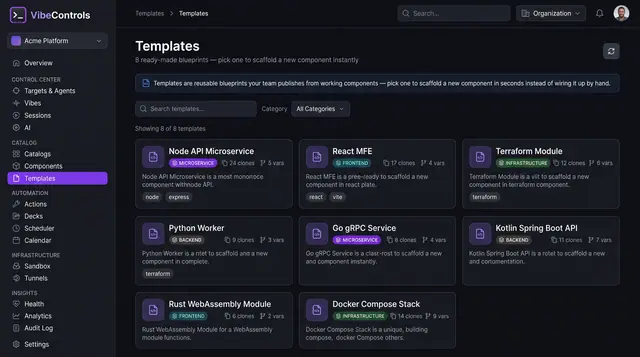
Golden-Path Templates and Scaffolding
Pick a team-approved blueprint, fill in a few variables and get a new component with its build, CI, ops deck and docs already wired.
2 illustrations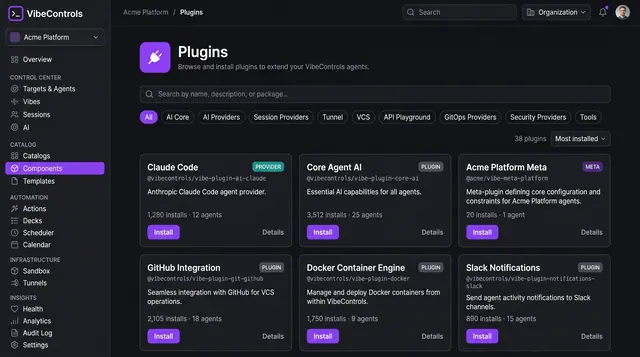
Plugin Marketplace and Fleet Rollout
Browse plugins that extend every agent, check prerequisites and versions, then roll one out across chosen machines in a single step.
4 illustrations
Automation
Reusable actions, one-click ops decks and scheduled jobs that run across your agents with an audit trail.
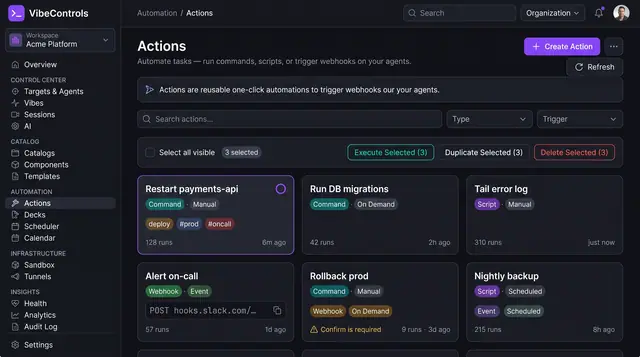
Actions and One-Click Ops Decks
Turn commands, scripts and webhooks into reusable actions, then pin them to one-click decks your team and on-call rotation can run.
3 illustrations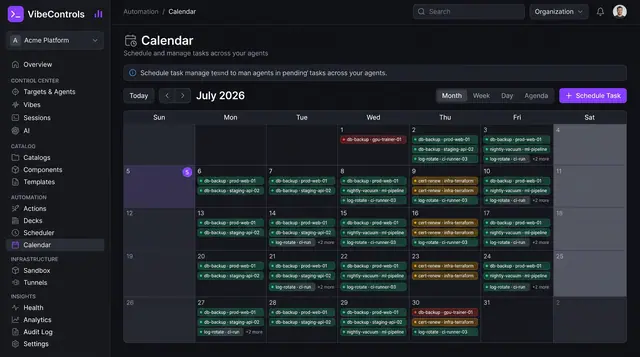
Scheduled Jobs and Calendar
See every scheduled job across your agents on one calendar, then open any job to check its schedule, run history and logs.
2 illustrations
Infrastructure
Managed tunnels that expose local services securely and isolated sandboxes for running untrusted scripts.
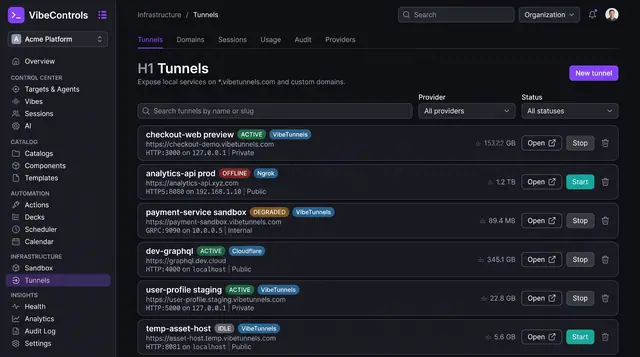
Managed Tunnels for Local Services
Publish a service running on any agent's machine at a managed URL, decide who can reach it and watch its traffic live.
3 illustrations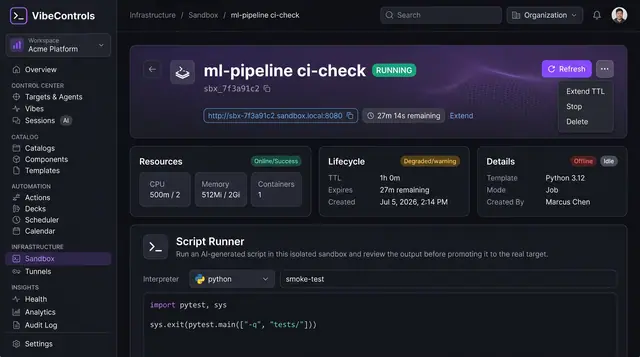
Sandboxed Script Runner
Try scripts written by coding agents in a short-lived, resource-capped sandbox and review the result before it touches a real machine.
1 illustration
Insights
Fleet health, live log streams, usage analytics and a complete audit trail of every operation.
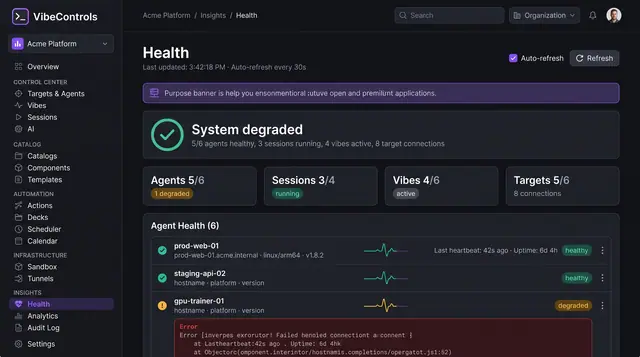
Fleet Health and Live Logs
See which agents, sessions, vibes and targets are healthy, then stream a struggling agent's logs to find out why.
2 illustrations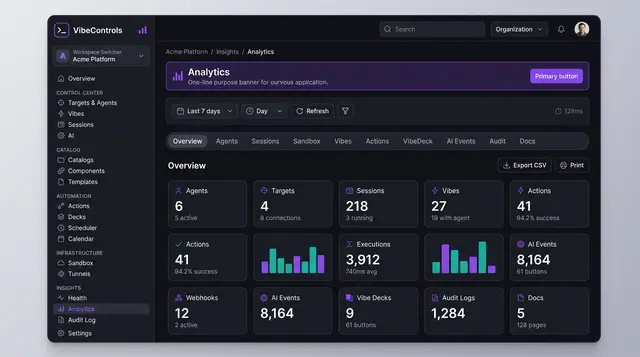
Usage Analytics and Audit Trail
Count what the fleet did over any period, then drill into a searchable record of who did what, where and with what result.
2 illustrations
Settings & Integrations
Workspace-wide defaults and signed webhooks that let outside systems react to what happens in your fleet.
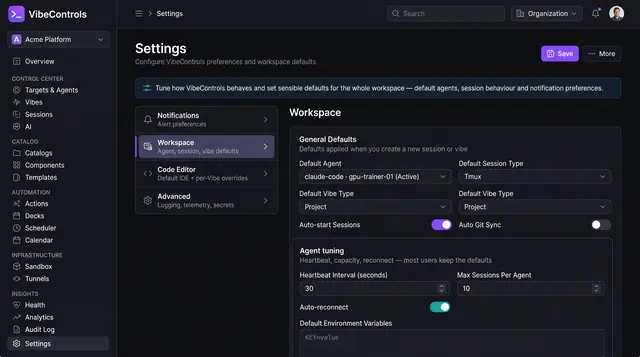
Workspace Defaults and Preferences
Set the default agent, session type and vibe type once, tune agent heartbeats and reconnects, and keep new work consistent.
1 illustration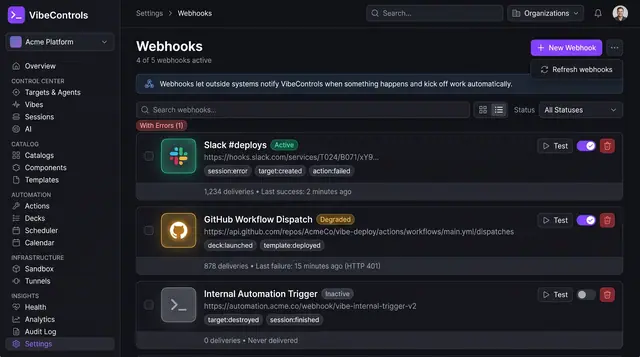
Webhooks and Event Subscriptions
Send signed notifications to chat, CI and your own services when agents, sessions and vibes change, and see which deliveries fail.
2 illustrations
Developer Tools
Reach your fleet from the terminal, your editor, your browser and any MCP-capable AI assistant.
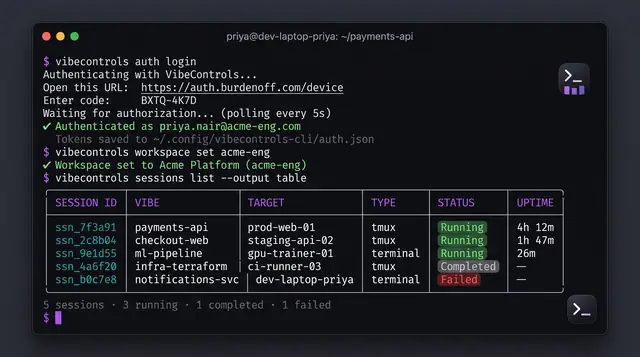
Command-Line and MCP Control
Sign in, pick a workspace and manage sessions from your terminal, or let an MCP-capable AI assistant do it for you.
2 illustrations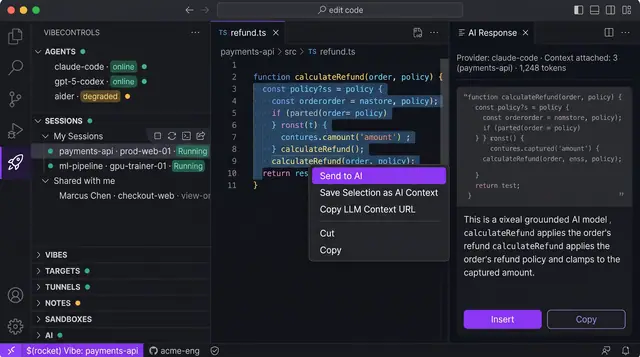
Editor and Browser Extensions
Send selected code to a coding agent from your editor, and check agents, sessions and localhost shares from a browser popup.
2 illustrations