Vulnerability Advisory Exposure Board
Match a new advisory to the components, versions and environments that carry it, with owners and linked hosts.
These images are illustrations of the concept, not screenshots of the actual product.
Overview
Vulnerability Advisory Exposure Board is a VibeControls concept for security and engineering leads who must answer, the morning an advisory lands, which systems carry the affected library and who owns the fix. It sits in the software catalog and is designed to match the advisory's package and version range against the software bill of materials attached to each build, then show every affected component by environment with its owner, deployed version and release-gate status.
In security, defense and intelligence organizations, that first answer is often a spreadsheet stitched together across several teams. By the time it is complete, versions have moved, hosts have been missed, and a system that cannot be patched quietly drops off the list instead of being recorded as an accepted risk.
The illustration opens with the advisory: a sample parsing flaw in a shared messaging library and the version below which it applies, with chips for high severity, the publication time and a note that the match came through the SBOM. Four tiles count affected components, those in production, internet-facing hosts and approved patches. The Exposure by environment table lists each component with its owner team and a version cell for development, staging and production, marked patched, behind or exposed in production, plus a release-gate result and linked records. The five sample components suggest a port terminal, with services for berth events, gate optical character recognition, crane telemetry, customs messaging and yard planning. One is patched everywhere and passes; the rest are blocked, including one held from promotion and one showing its recorded risk acceptance, a vendor patch pending with a compensating control, rather than a silent gap.
Two other Burdenoff products carry the answer forward. Each production match is designed to link to the hosts AdapterCloud maps it to, including whether a security policy flags them as internet-facing, and the risk acceptance in the sample is recorded in AdapterCloud. The linked-records column is designed to show the AssetHandler change request that tracks each patch and whether it is approved or still in review. A Next actions panel offers to open the AdapterCloud violations or create an AssetHandler change, so the hand-off from finding to fixing starts on the same board, with owners already named.
What this concept shows
- An advisory header with the affected version range, severity, publication time and an SBOM match marker
- Tiles for affected components, components in production, internet-facing hosts and approved patches
- An exposure table with each component's owner and deployed version in development, staging and production
- Version cells marked patched, behind or exposed in production, explained by a legend
- A release-gate column that blocks components still carrying the flaw and passes the fully patched one
- Linked records naming affected hosts, change requests approved or in review, and held promotions
- A recorded risk acceptance, with its reason and compensating control, for a component that cannot be patched yet
- Next actions to open AdapterCloud violations or create an AssetHandler change
How it works
- Open the advisory from the catalog and confirm its affected version range, severity and SBOM match.
- Read the tiles for how many components are affected, how many reach production and how many hosts face the internet.
- Scan the exposure table by environment to see where each component is patched, behind or exposed, and who owns it.
- Check the release gate and linked records to see which fixes already have an approved or in-review change request.
- Open the AdapterCloud violations for exposed hosts, or create an AssetHandler change for a component with no fix in flight.
- Confirm that any component which cannot be patched in the window shows its recorded risk acceptance instead of a gap.
Who it's for
- Security engineering and vulnerability management leads
- Engineering leads and component owners
- Security operations analysts
- Release and platform engineers
- Operational technology system owners
Illustrations
1 illustration of this concept. Select one to view it full size.
Advisory Exposure by Environment
This illustration shows the Vulnerability Advisory Exposure Board, reached from the catalog with Components selected in the navigation. An advisory card describes a sample parsing flaw in a shared messaging library and the version below which it applies, with chips for high severity, a publication time and a match made via SBOM. A Next actions panel holds buttons to open AdapterCloud violations and create an AssetHandler change. Four tiles count affected components, those in production, internet-facing hosts credited to AdapterCloud and approved patches. The Exposure by environment table lists five sample components with an owner team, colored version cells for development, staging and production, a release-gate result and linked records: host counts, change requests approved or in review, a held promotion, and a risk acceptance recorded in AdapterCloud with a vendor patch pending and a compensating control. One component has no production deployment, and one row is selected. A legend separates patched, behind and exposed in production.
Topics
- vulnerability advisory impact
- SBOM vulnerability matching
- software bill of materials
- vulnerable library exposure
- exposure by environment
- CVE impact analysis
- internet-facing asset exposure
- vulnerability risk acceptance
- patch tracking by owner
- release gate for vulnerabilities
- dependency vulnerability dashboard
Related concepts
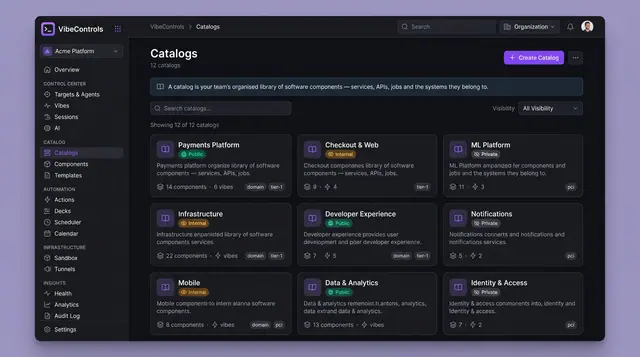
Living Software Catalog and Version Drift
A catalog that stays honest — systems, components, owners and dependencies, with per-environment version drift on one grid.
4 illustrations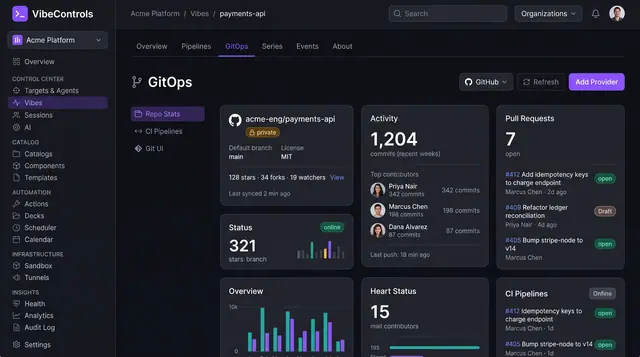
GitOps, Living Docs and Quality Scorecards
See a project's repository activity, its compiled documentation and a weighted quality score side by side, inside the vibe itself.
3 illustrations
Part of an industry solution
This concept appears in a cross-product solution on burdenoff.com — see how it works alongside other Burdenoff products to solve a problem in that industry.