AI coding assistants are most useful when they understand your entire project — but pointing them at a raw API key or a broad S3 bucket is a security anti-pattern. You want the AI to have context, not credentials.
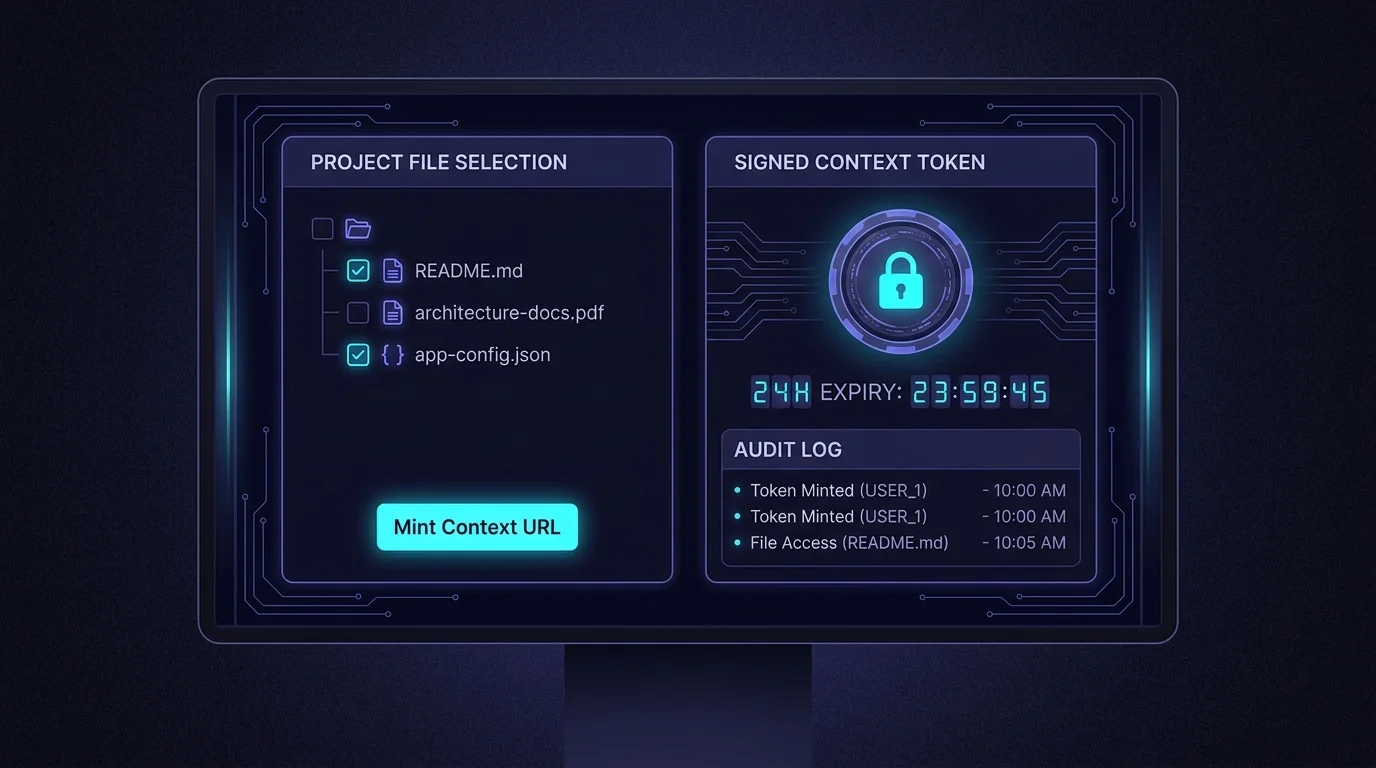
VibeControls' per-vibe LLM Context lets you configure exactly which files and metadata to expose: the README, the relevant service's source files, the architecture diagram, maybe the API schema. Nothing else.
Click "Mint Token" and VibeControls generates a signed URL with a configurable expiry — one hour for a quick review session, 24 hours for an extended coding sprint. The URL is audited: every fetch shows up in your workspace's audit log with timestamp and IP.
Paste the URL into Cursor's context panel, add it to your Claude Code CLAUDE.md, or pass it to any MCP-compatible AI agent. The AI reads your curated context. When the token expires, it stops working — no revocation ceremony needed.
Do it yourself
Generate a scoped, time-limited signed URL that exposes exactly the files and metadata you choose from a Vibe, paste it into your AI assistant, and watch every fetch get audited until the token expires.
Open the Vibe you want to share, then select the LLM Context tab.
You should see: You see the LLM Context panel with the settings form, your tokens, and the fetch audit view.
Ready to make this your story?