Test coverage for a growing API surface is a perpetual backlog item. Writing test cases is important but slow, and AI can generate a credible first draft faster than any engineer — but only if you give it time and context.
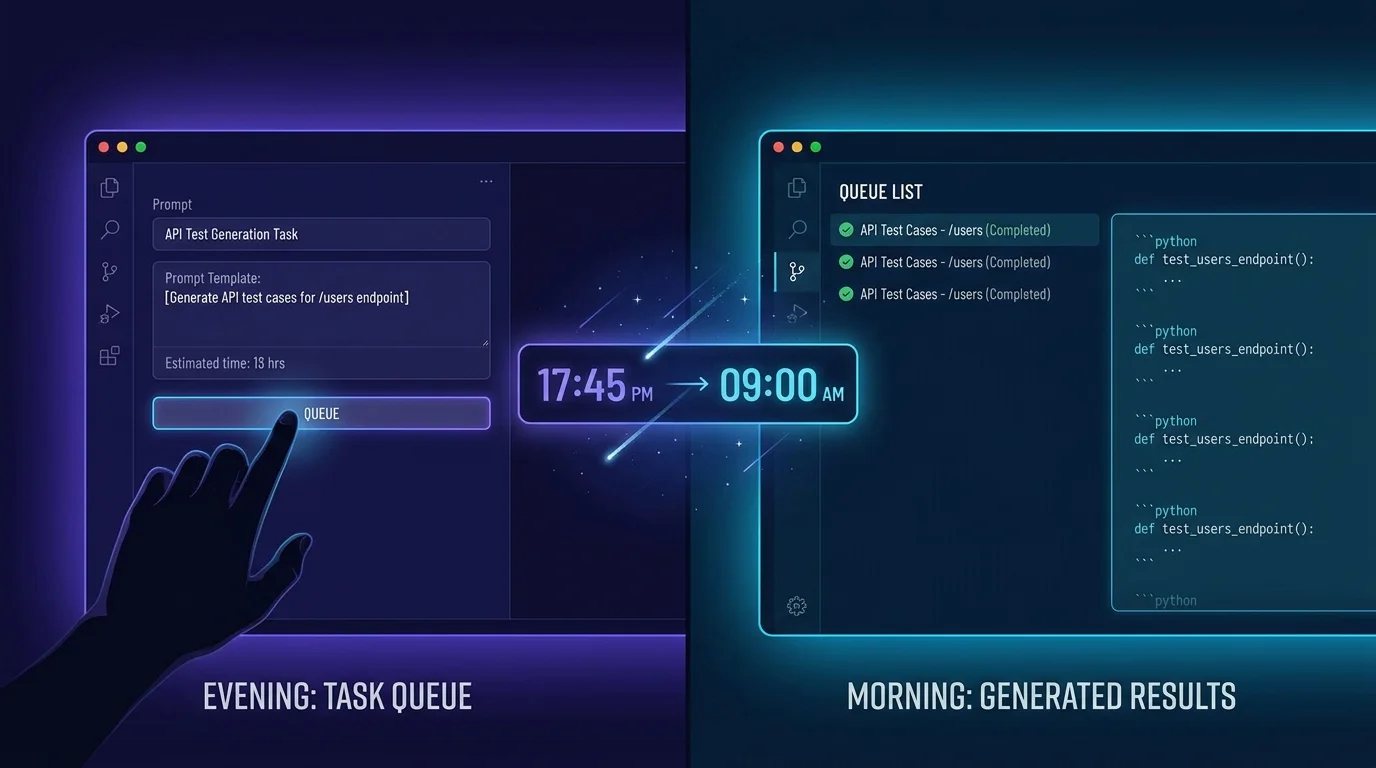
VibeControls AI Queue makes this a background workflow. Create a prompt template: "For each of these API endpoints, generate comprehensive unit tests covering happy path, validation errors, and edge cases: {{endpoints}}". Attach your API schema file as an AI Context.
Before you leave for the day, run the prompt with Queue — not Dispatch. VibeControls logs it as a pending task. Overnight, your AI provider executes it and stores the result in the queue.
You open the queue in the morning and see the completed runs. Each run shows which model ran it, how many tokens it consumed, and the full response. The generated test cases are ready to review, edit, and copy into your test files.
This turns AI from an interactive tool into an async collaborator. You set the agenda, the AI works overnight, and you review and approve.
Do it yourself
Queue AI test-generation prompts to run overnight against your API schema, then review each completed run's model, token usage, and full response in the morning.
Open the AI Prompts tab and create a new prompt template describing the tests you want generated. Save it.
You should see: Your test-generation prompt is saved and ready to reuse.
Ready to make this your story?