The hardest part of database backups isn't running them — it's knowing they ran. In a distributed environment, backups are often cron jobs scattered across different servers with no central visibility. You find out they stopped working when you need to restore.
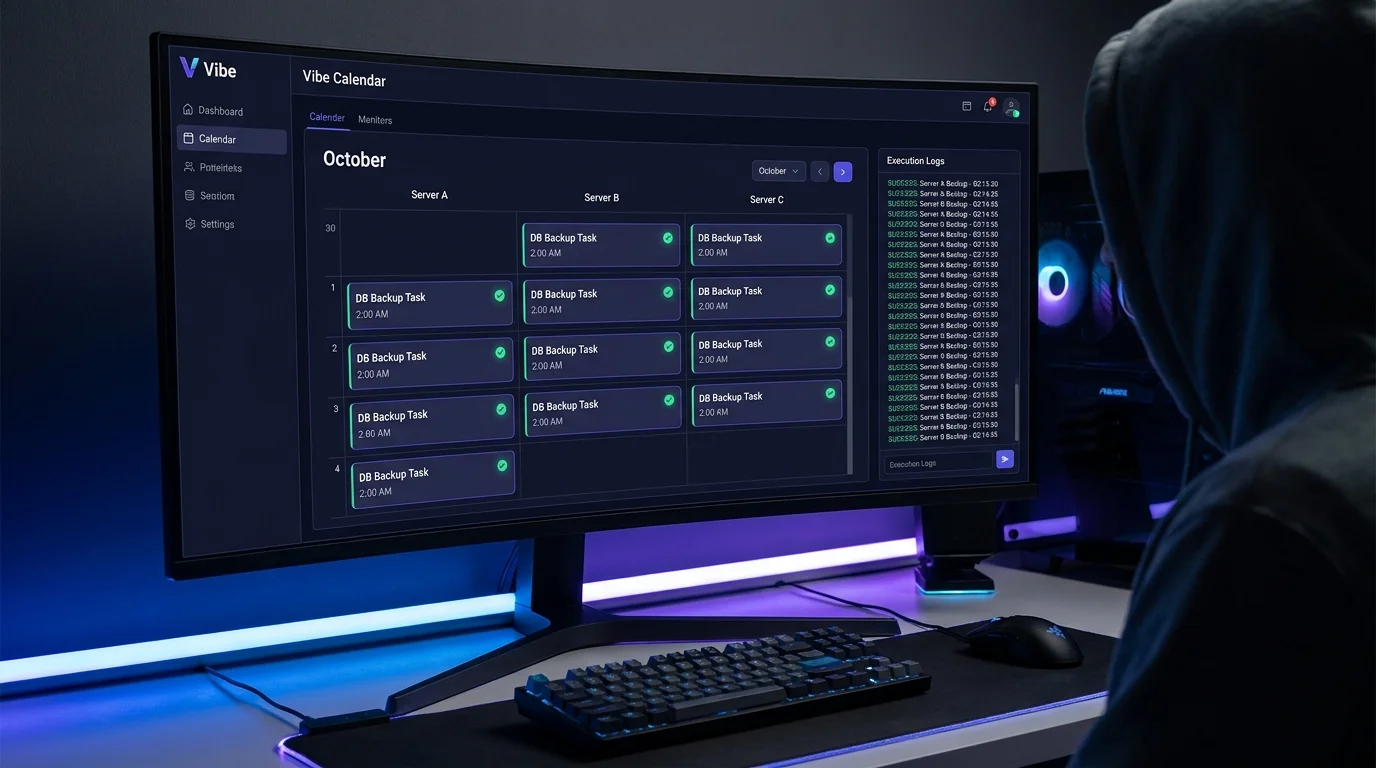
VibeControls Vibe Calendar changes the model. Attach your database action to a schedule — every night at 02:00, run the backup script. VibeControls dispatches the job to the selected agent, captures execution status and output, and keeps a run history for the scheduled job.
The Calendar dashboard shows every scheduled job across the workspace in a single view. Open a job to inspect its executions, status, duration, and available output. If a job fails, you can drill into the recorded run instead of starting with SSH.
The scheduler can run a deliberately configured webhook job, but the VibeControls Webhooks page does not currently offer an automatic “scheduled backup failed” subscription. “Did the backup run?” is a calendar and execution-history check today.
Do it yourself
Schedule a nightly database backup script on a selected server, then review its execution history and available output from the Calendar dashboard.
Click Create and define a new Action that runs your backup script or command, then choose the agent on the database server that should run it.
You should see: A reusable backup Action is saved and bound to the agent on that server, ready to be scheduled.
Ready to make this your story?