
How does VibeControls let me share a live terminal session with a teammate?
VibeControls lets you share a running terminal session with teammates directly through a browser link, eliminating screen-share lag and avoiding the need to hand out…
About this answer — Produced by our own assistant on 23 September 2026 from our published documentation. The pages it drew on are linked under the answer. It is generated text, not a statement from a person — where it and a linked page disagree, the page is right.
Answer
VibeControls[1] lets you share a running terminal session with teammates directly through a browser link, eliminating screen-share lag and avoiding the need to hand out persistent SSH credentials.
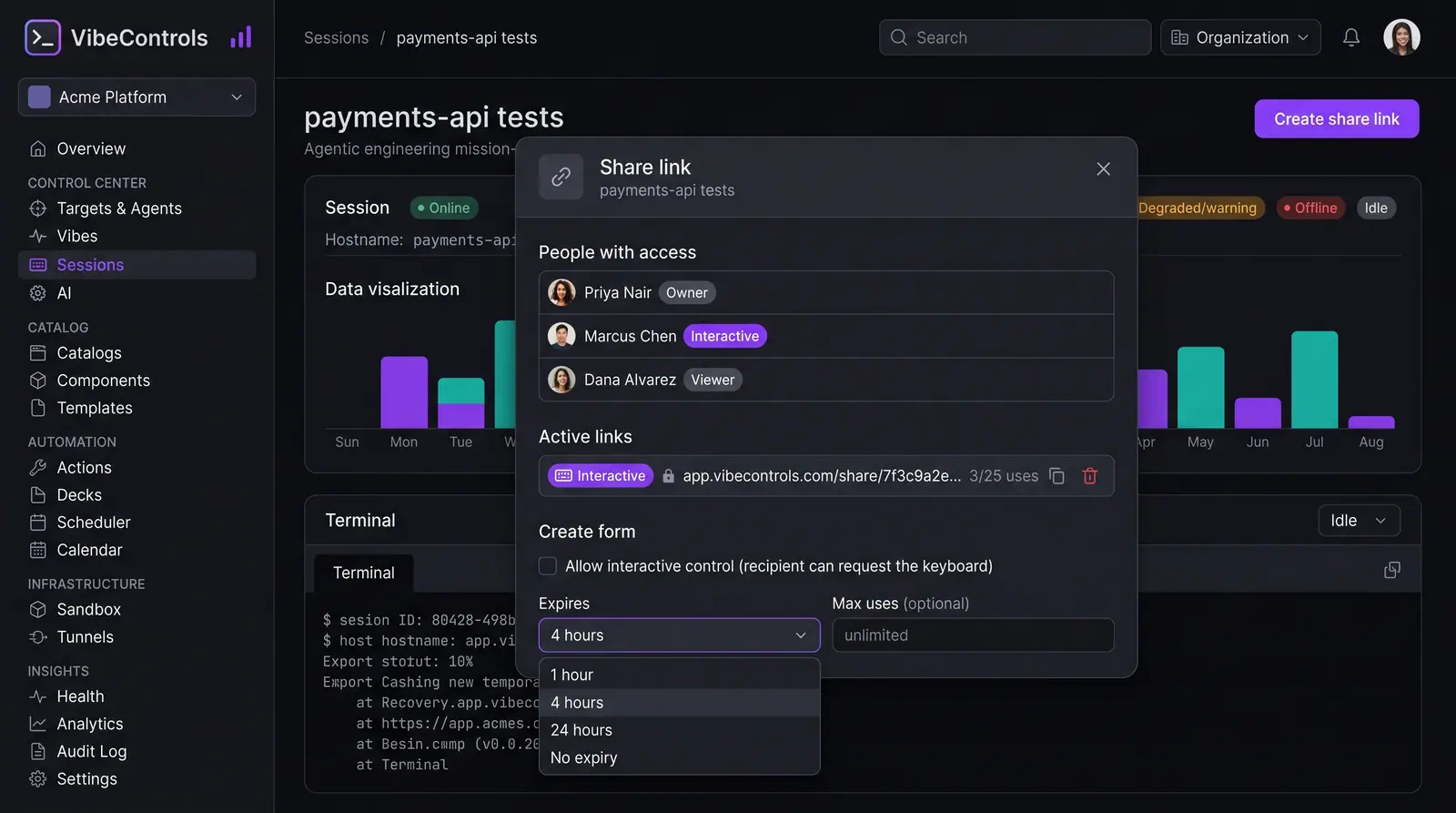
From any active session, you can open the Share dialog to invite specific workspace members or generate a shareable link. You can set permissions as a read-only viewer or allow interactive control, set an expiration window (such as 1 hour, 4 hours, or 24 hours), configure an optional password, and cap the number of uses.
 (opens in a new tab)
Illustration of the concept, not a screenshot of the actual product — Session Sharing and Live Pairing[2]
(opens in a new tab)
Illustration of the concept, not a screenshot of the actual product — Session Sharing and Live Pairing[2]
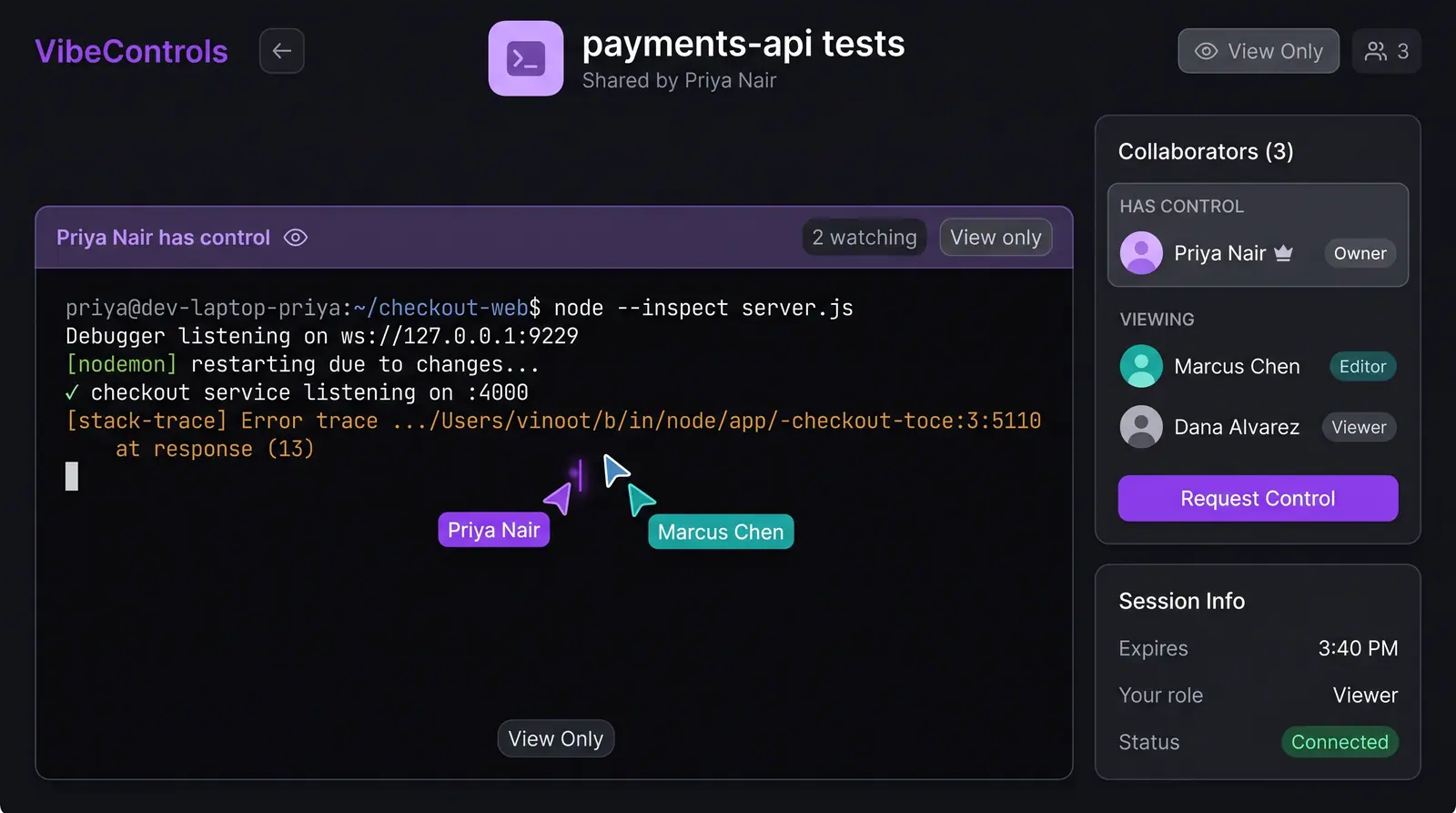
When your teammate opens the link, they stream the live terminal buffer in real time on a dedicated page illustrated in the Session Sharing and Live Pairing concept[2]. The interface displays who currently holds control, how many people are watching, and named cursors showing where collaborators are pointing.
Viewers cannot type by default. If granted interactive access, a teammate can click Request control; once accepted, keyboard control transfers in about a second. You can reclaim control at any point or instantly revoke the link, with all sharing events and control transfers recorded in your workspace audit log.
 (opens in a new tab)
Illustration of the concept, not a screenshot of the actual product — Session Sharing and Live Pairing[2]
(opens in a new tab)
Illustration of the concept, not a screenshot of the actual product — Session Sharing and Live Pairing[2]
To see a step-by-step walkthrough, check out the live session sharing use case[3].
Sources
The pages this answer was drawn from.