
How do I install the VibeControls agent on a new machine?
To install and connect the VibeControls agent on a new machine, follow these steps: Run the one-line installer in your terminal using your preferred package variant, as…
About this answer — Produced by our own assistant on 23 September 2026 from our published documentation. The pages it drew on are linked under the answer. It is generated text, not a statement from a person — where it and a linked page disagree, the page is right.
Answer
To install and connect the VibeControls[1] agent on a new machine, follow these steps:
1. Install the Agent
Run the one-line installer in your terminal using your preferred package variant, as outlined in the Local Agent Setup guide[2] and the Install and Connect Your First Agent concept[3]:
- Script:
curl -fsSL https://app.vibecontrols.com/install | bash - npm:
npm install -g @vibecontrols/agent - bun:
bun add -g @vibecontrols/agent
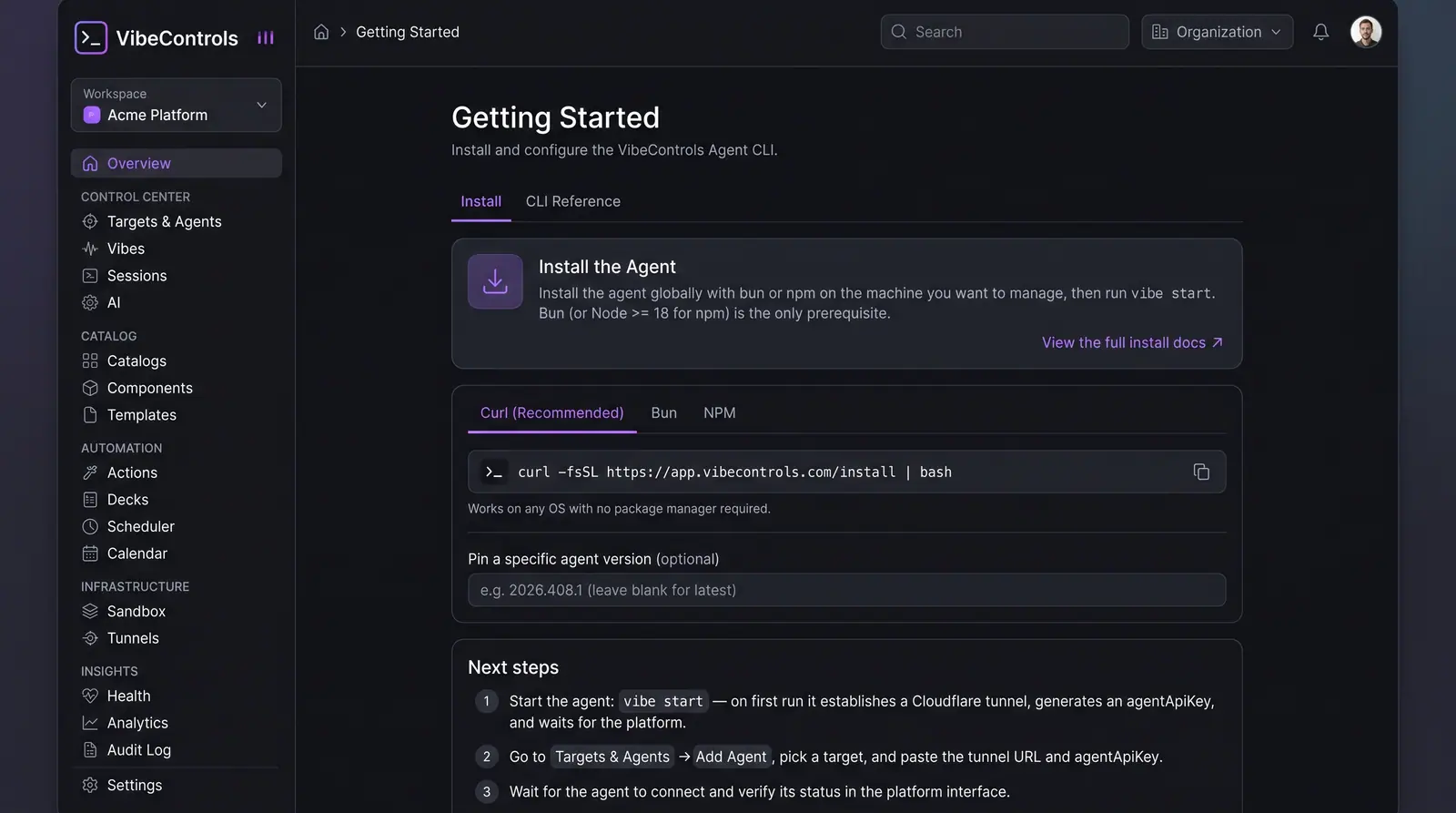 (opens in a new tab)
Illustration of the concept, not a screenshot of the actual product — Install and Connect Your First Agent[3]
(opens in a new tab)
Illustration of the concept, not a screenshot of the actual product — Install and Connect Your First Agent[3]
2. Start the Agent Locally
Run vibe start in your terminal. The agent boots locally and prints a connection/tunnel URL and an agent API key. To make the agent survive system restarts, you can optionally run vibe autostart install.
3. Register the Agent in Your Workspace
In your VibeControls workspace[3], go to the Agents section and open the Add Agent wizard:
- Enter a display name and select or create the target machine.
- Paste the connection URL and the agent API key into the form.
- Submit the connection and verify that the agent reports as online in the validation step.
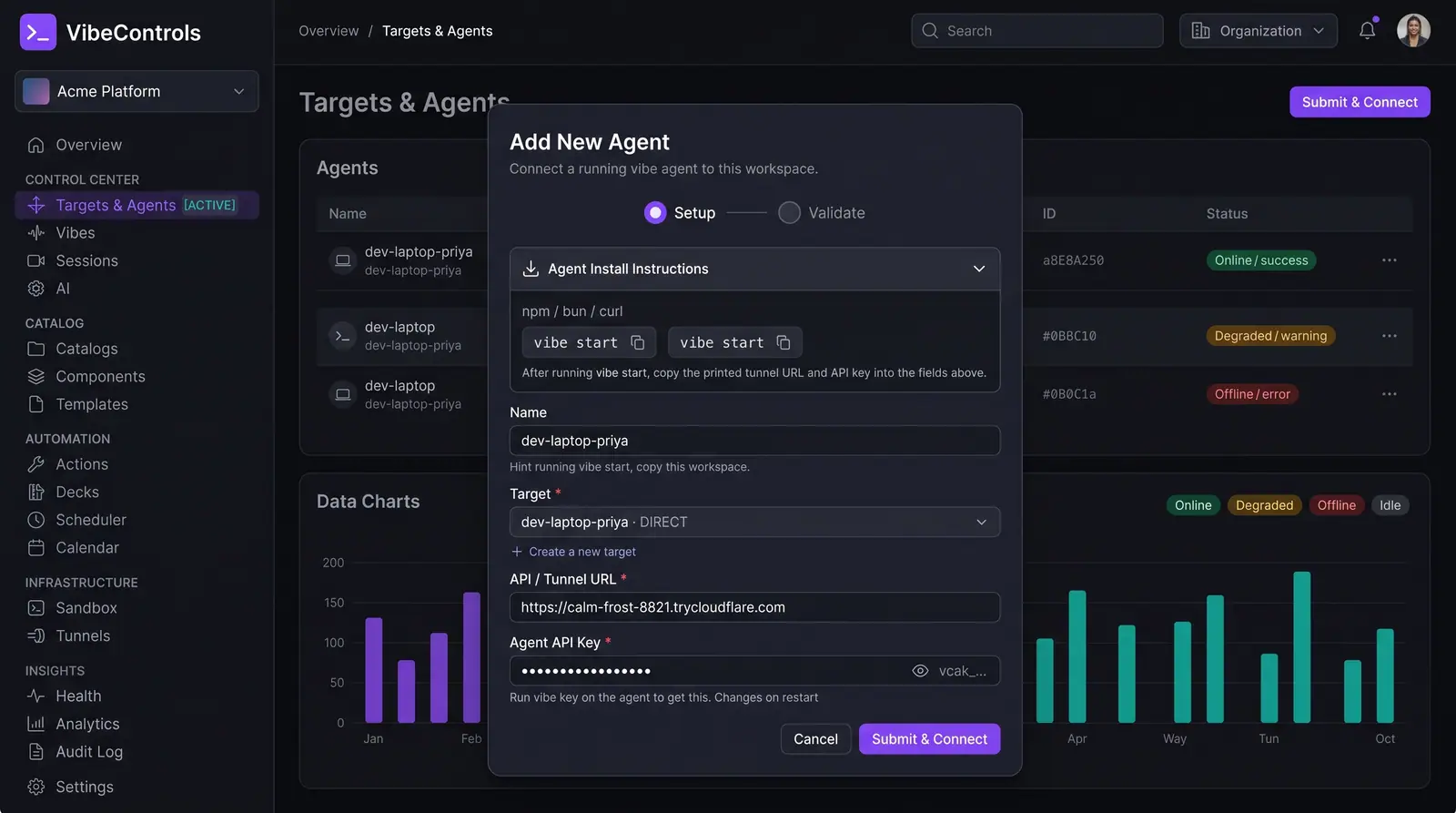 (opens in a new tab)
Illustration of the concept, not a screenshot of the actual product — Install and Connect Your First Agent[3]
(opens in a new tab)
Illustration of the concept, not a screenshot of the actual product — Install and Connect Your First Agent[3]
Once connected, your machine is immediately available for browser-based terminals, session persistence, and plugin rollouts.
Sources
The pages this answer was drawn from.
- VibeControls — Agentic Engineering Mission Controlvibecontrols.com(opens in a new tab)
- Zero-config local agent in under a minute — VibeControls Use Casesvibecontrols.com(opens in a new tab)
- Install and Connect Your First Agent — Concept | VibeControlsvibecontrols.com(opens in a new tab)
- app.vibecontrols.comapp.vibecontrols.com(opens in a new tab)