Weekly quality reviews tend to run on anecdotes: whoever speaks loudest sets the agenda, while the coverage numbers that should drive the conversation sit unread in CI logs. "How healthy is this service, really?" deserves a number, not an opinion.
VibeControls metric scorecards give every vibe, catalog, and component a weighted 0–100 score built from individual metrics — each with its own threshold, weight, and direction (higher-is-better for coverage, lower-is-better for open vulnerabilities or build time). Apply a scorecard template — built-in starters are seeded into every workspace — and a production-readiness check set lands on the entity in one click.
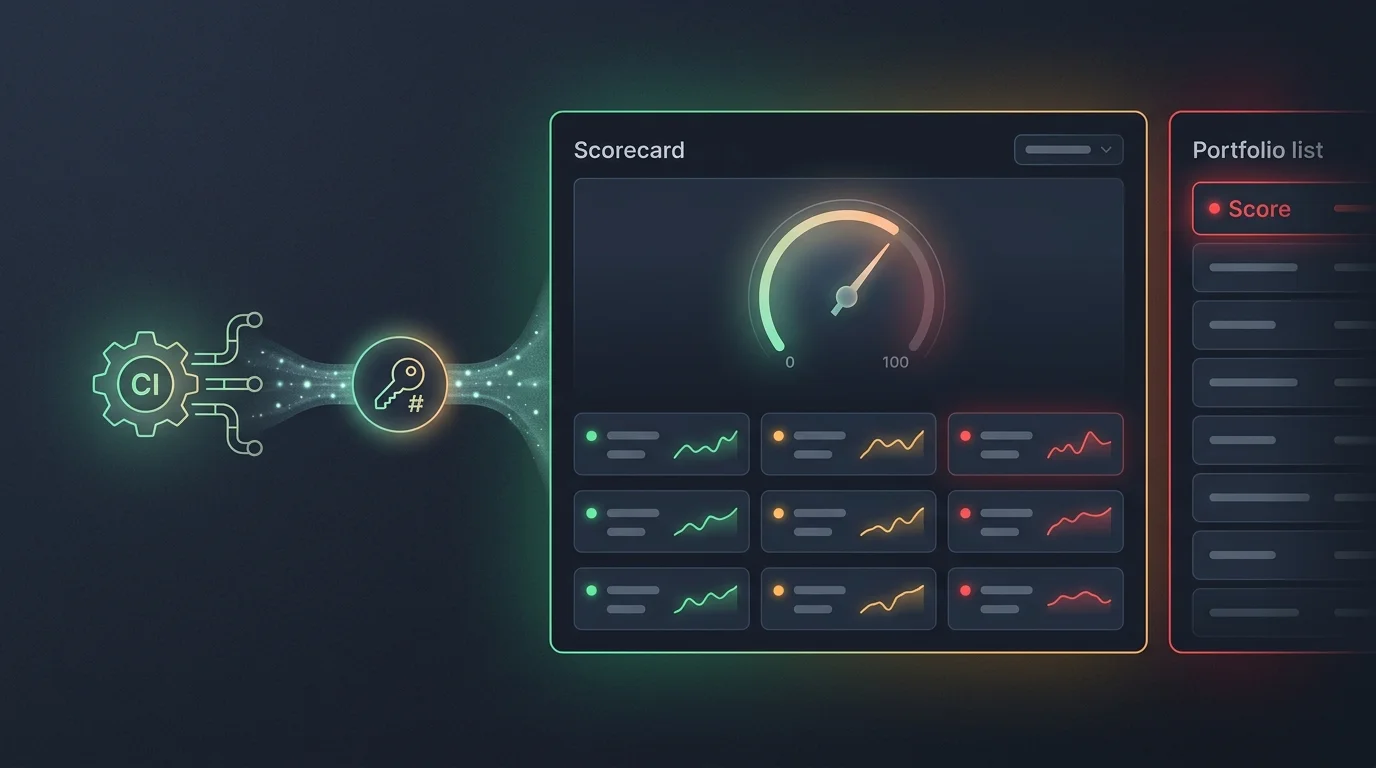
Then connect CI. Rotate a workspace push token (shown once, stored hashed — the raw value never persists), add it to your pipeline, and have every build POST its metrics to the scorecard push endpoint. Coverage, test counts, lint warnings — whatever your pipeline measures becomes a scorecard metric with a recorded history point per push. Status is derived server-side from the threshold; a pipeline can report a value, but it can never assert its own pass.
When a metric dips below its threshold, the card flips to failing automatically — with the remediation guidance you attached, so the person looking at it knows what to do next, not just that something is red. History powers trend sparklines per metric, and each metric can embed a Grafana panel for the full picture on demand.
The payoff is the portfolio panel: every scored entity in a catalog, sorted lowest score first, trends alongside. The weekly review now starts from "worst score first" — and the argument about which service needs attention is over before it starts.
Do it yourself
Set up a weighted 0–100 quality scorecard on any vibe, catalog, or component, wire your CI pipeline to push build metrics, and watch trends and a worst-first portfolio keep your whole workspace honest.
Open the vibe you want to score and click the Scorecard tab. (Catalogs and components have the same tab — open one at /vibecontrols/catalogs/:id or /vibecontrols/components/:id to score it instead.)
You should see: The Scorecard panel opens with a friendly empty state inviting you to apply a template or push from CI.
Ready to make this your story?